Registration & Onboarding
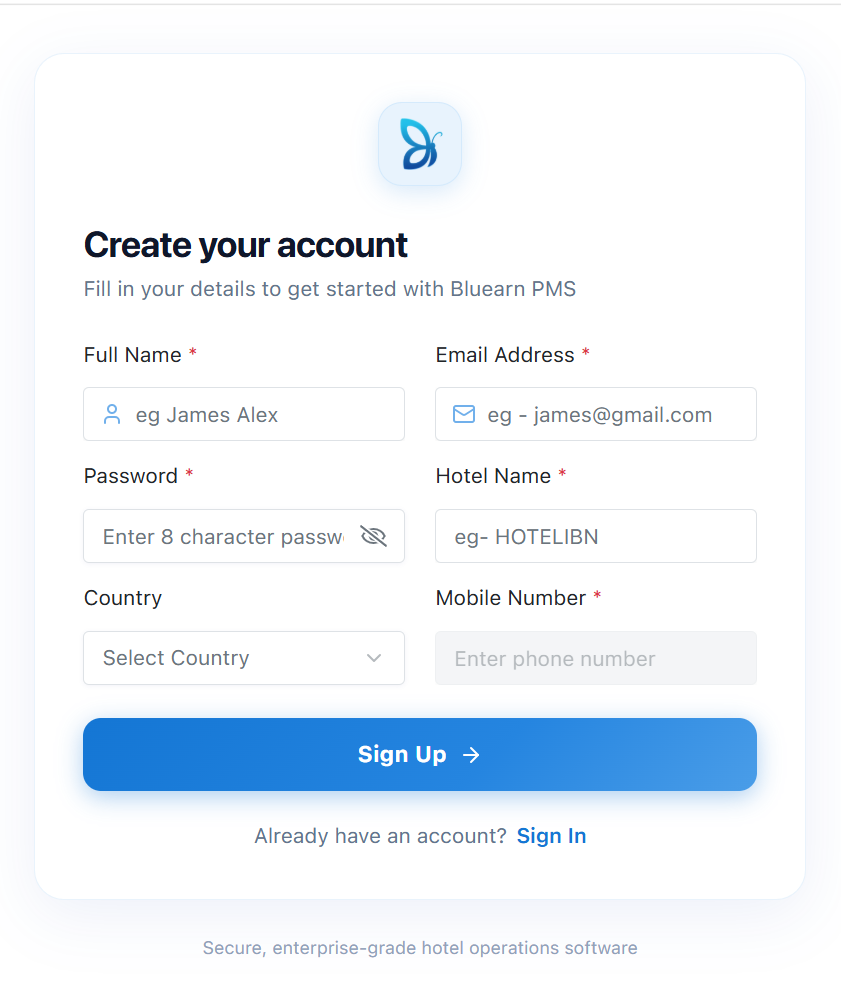
The Registration page is the first step in getting started with BluEarn PMS. It allows hotel owners, property manager to create a new account and register their property on the platform
How to Register
-
Open the Registration page.
-
Enter your Full Name.
-
Enter valid Email Address.
-
Create a secure Password.
-
Enter your Hotel Name.
-
Select your Country.
-
Enter your Mobile Number.
-
Click Sign Up.
Email Verification
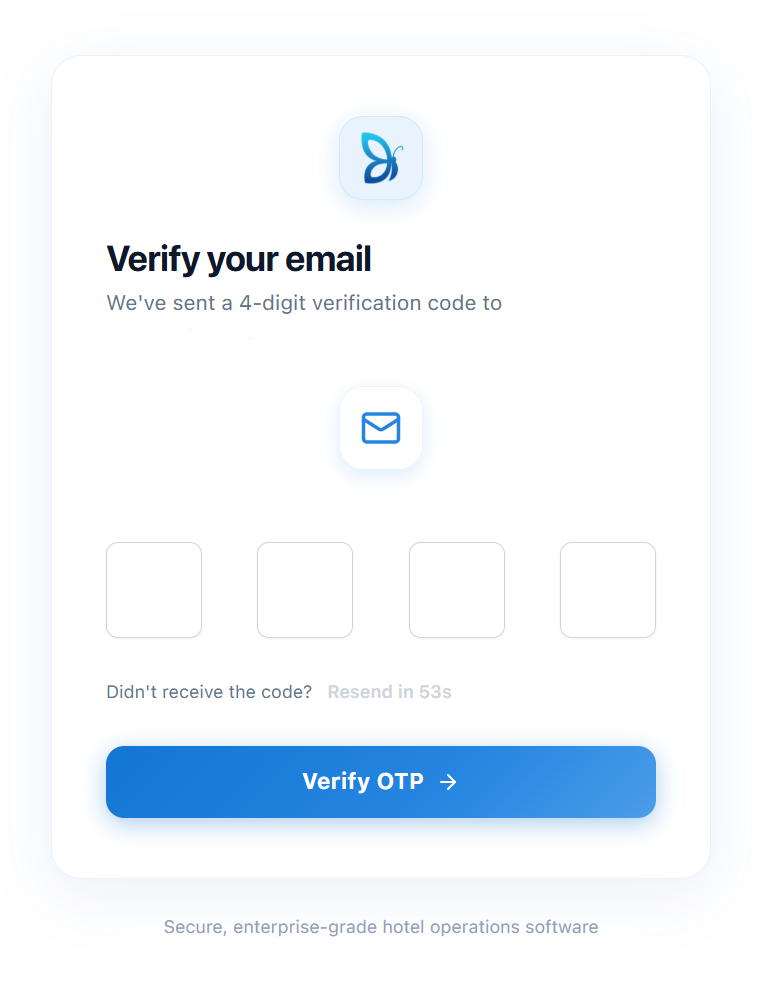
After successfully submitting the registration form by clicking Sign Up, A One-Time Password (OTP) will be sent to the email address you provided during registration and Email Verification page will be displayed.
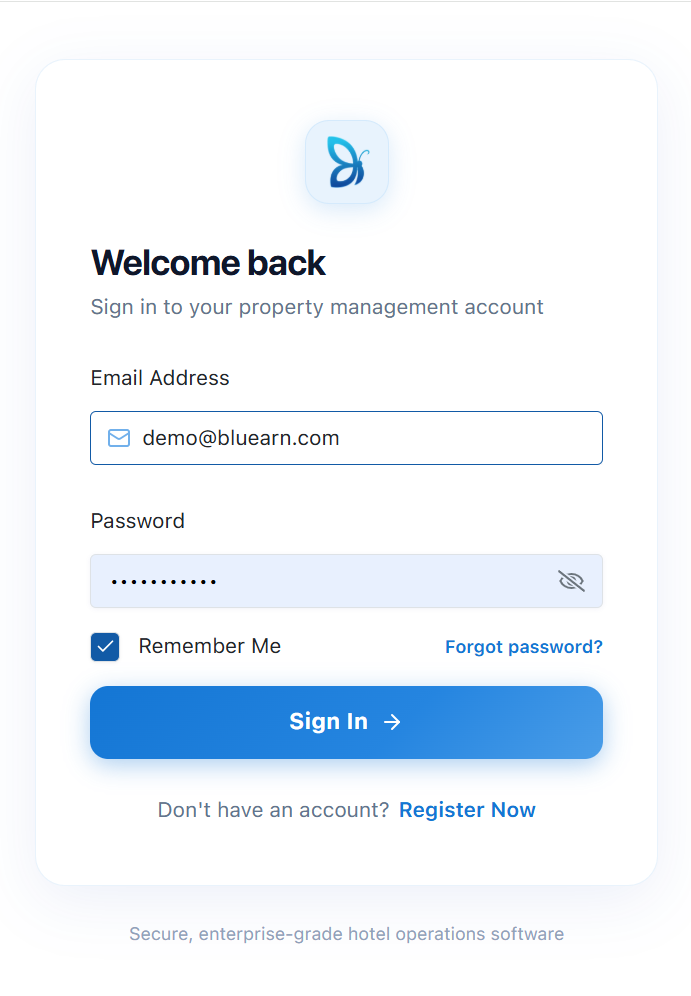
After your email has been successfully verified, sign in using your verified email address and the password you created during registration.
Property Onboarding form
Once you sign in, you will be redirected to the Property Onboarding form.This is a one-time setup process where you configure your property's basic information and operational preferences and personalize your BluEarn PMS account.
To simplify the onboarding process, some details are automatically populated using the information entered during registration.
Including: Property Name, Contact Email , Mobile Number etc...
Fill in the remaining required fields, which may include:
Total Floors, Total area, Check-in and Check-out Time, Property Location, Time Zone.
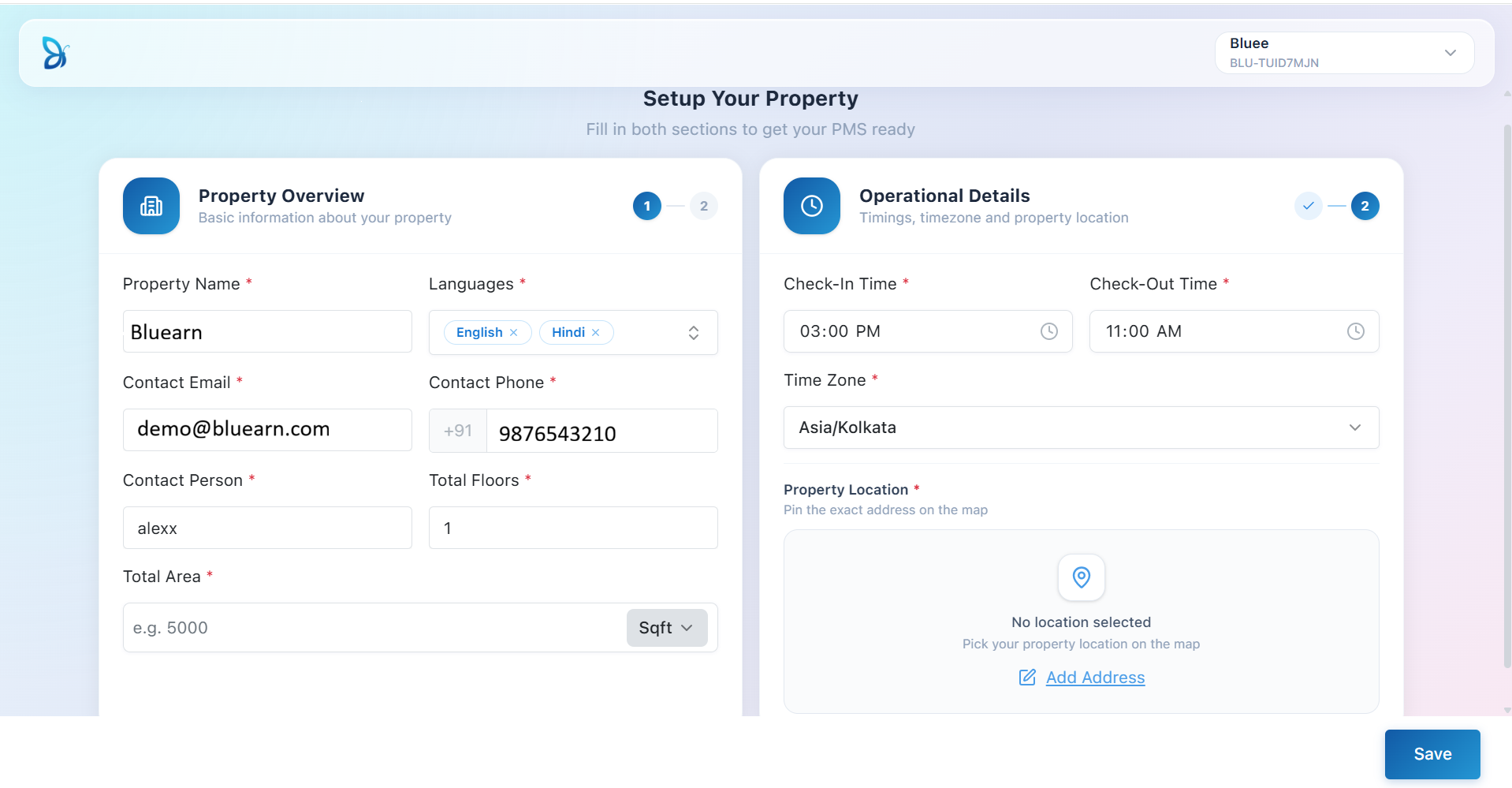
Once your property information has been saved successfully, your BluEarn PMS account is fully configured, and you will land on Dashboard
Now you can proceed to set up other hotel settings.